
AUTOCAD 2022 TRAINING GUIDE
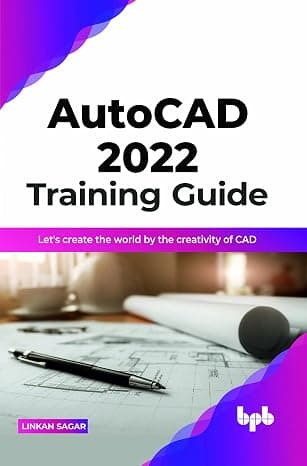
- Format
- Digital book
- Language
- Not available
- Publisher
- Not available
- SKU
- Not available
Digital access
Verify once to reveal the links, then copy and open them externally.
learn practical knowledge rather than theoretical knowledge.
Key Features
● Explain each command.
● Explain step by step.
● Practical book rather than theoretical knowledge.
● Cover all the module.
● Relate to Real example.
● Industry level book.
Description
This book promises to make you understand and practise the AUTOCAD framework. This book's focus is to take you on a journey of all the phases of AUTOCAD and make you understand all the phases of industries and designing. AUTOCAD is an innovative, next generation industry software that allows us to solve or understand designing and DESIGN problems in straight way. AUTOCAD is a technical implementation approach for 2D & 3D in an incremental an easy way. this book is based on images. The main objective of this book is to make understand the concept of design on a practical based rather than theoretical
FOR EXAMPLE – if student have a problem during their project this book help how to solve there problems in easy way with the help of images which is publish inside this book. with the help of images student can easily solve it without any confusion.
What you will learn
● Learn to drafting & design concept. With the help of this book, you can easily learn
● DRAFTING
● DESIGNING
● Include all these topics this book learns you what type of proportion.
● We take a new idea for designing.
● With the help of this book student can take a good idea that how much resources they need.
● This book learn student to solve the problem of wastage of resources and money.
● This book help student how to save money and time.
Who this book is for
Mechanical engineering, mechanical designer, automobile industry, product designer, heavy vehicle designer, aero dynamic, plastic design, mold design, furniture design, rubber design and structure design etc.
Table of Contents
1. Introduction
2. Overview
3. Draw tools
4. Modify Tools
5. Annotation
6. Inquiry
7. Parametric
8. Setting & Option
9. 3D Modeling & View
10. 3D Modify Tools
13. 3D Surface & Mesh
14. What Are the New Features Introduced in AutoCAD 2022?
15. 2D Practice Drawings
About this book
- Publisher : BPB Publications (April 19, 2022)
- Language : English
- Paperback : 250 pages
- ISBN-10 : 9355512805
- ISBN-13 : 978-9355512802
- Item Weight : 15.5 ounces
- Dimensions : 6 x 0.57 x 9 inches
- Best Sellers Rank: #4,774,829 in Books (See Top 100 in Books)
- #552 in AutoCAD Books
- #4,838 in Graphics & Multimedia Programming
- #5,312 in Architectural Drafting & Presentation